Ma Tuan: the working panda pet I made for Codex
From character design, nine work states, and 16 look directions to an 8×11 validated spritesheet and public release—the complete Ma Tuan build story.
I did not want a mascot that simply sat in a corner. I wanted a companion that could follow the rhythm of Codex: typing while code is being written, studying a screen during analysis, looking up when confirmation is needed, and relaxing against its workstation while idle.
That idea became Ma Tuan—a soft, plush-style giant panda carrying a bamboo-green folding workstation. The complete pet package, installers, and scene previews are available in the ma-tuan-codex-pet GitHub repository.
Turning work states into character actions
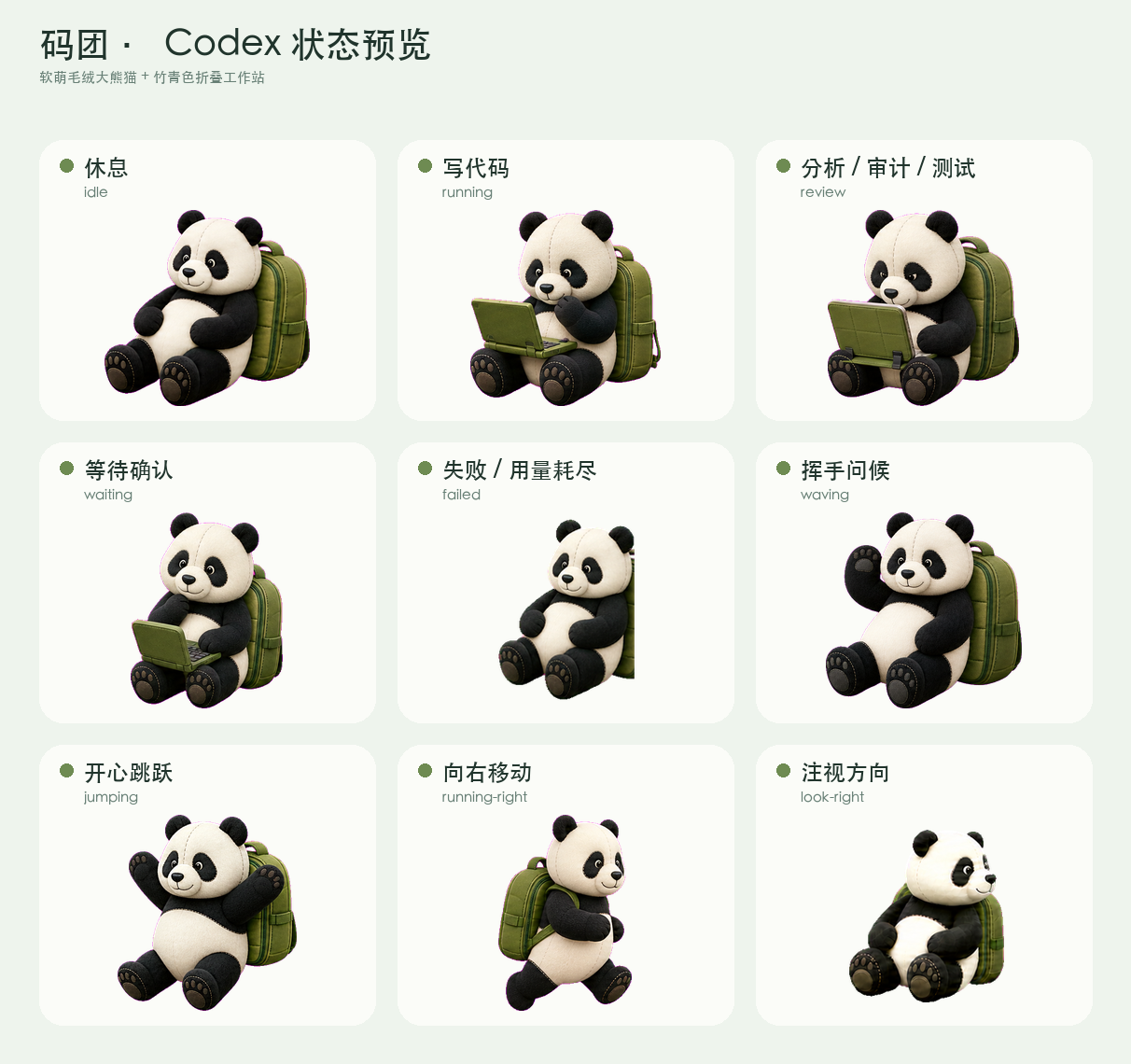
A character is defined by more than its appearance. Each system state needs an action you can understand at a glance. Ma Tuan ultimately covers nine standard animations:
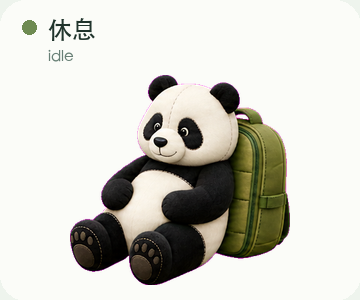
idle: rests against the closed workstation with subtle breathing, blinking, and head movement.running: opens the workstation and types continuously while Codex writes code, runs commands, or performs a task.review: leans toward the screen and examines it section by section during analysis, audits, and tests.waiting: stops working and looks toward the user while waiting for confirmation, permission, or more information.failed: shows a failed task or complete exhaustion.waving: raises one paw in greeting.jumping: uses vertical body movement for a happy jump.running-right/running-left: carries the closed workstation while moving horizontally.
The Codex pet protocol does not expose separate states for analysis, auditing, and testing, so all three share review. That constraint made the motion language more important: the action had to be clear without relying on labels or effects.
Sixteen directions make the panda actually look
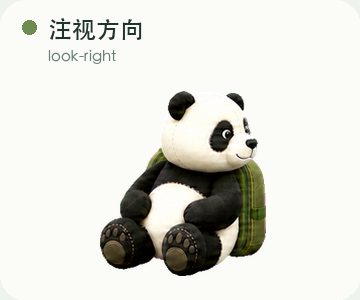
In addition to the work states, Ma Tuan supports 16 clockwise gaze directions from 000° through 337.5°. The eyes move first, the head follows, and the ears shift only slightly.
The hard part was not drawing 16 frames. It was keeping the panda’s identity, scale, and body center stable. When the head, backpack, or feet drift between frames, the result no longer reads as a head turn—the whole character appears to shake.
The spritesheet is a strict interface
The final package follows Codex pet protocol v2:
- Spritesheet size:
1536 × 2288 - Layout: 8 columns × 11 rows
- Cell size:
192 × 208 - Standard animations: 9
- Look directions: 16
- Format: transparent WebP
spriteVersionNumber:2
These numbers are an interface, not a layout suggestion. Every frame has to stay inside its cell, and the atlas must pass checks for transparency, non-empty cells, and color-key edges. A character can look perfect in a source image and still be clipped, jittery, or misregistered in the app.
The quiet but important rework: a clipped backpack
The first idle animation appeared to have safe margins, but the six source poses had been placed too close together. The outside of the backpack was already clipped before the frames were extracted. Checking the scaled result afterward produced a misleading “clear edge” result.
The fix was not to keep nudging finished frames. I returned to the source strip, made each complete pose about 15% narrower, and required the panda, handle, straps, feet, and backpack to remain inside separate slots with enough clean space between them. After the repair, horizontal center drift in the idle animation fell from about 16.7px to 0.88px.
That rework left me with a useful rule: a clean final edge does not prove the upstream frame extraction was correct. Animated assets need checks at the source-strip, extracted-frame, and final-atlas levels.
Why usage and recovery timers are not drawn into the pet
The original idea also included remaining usage, recharge counts, and a recovery countdown. But a pet package has no account API, should not read account information, and cannot safely bake changing numbers into a spritesheet.
Ma Tuan therefore communicates state while the native Codex interface remains responsible for remaining usage, reset or recharge counts, recovery countdowns, and limit notices. Whether exhausted usage triggers the failed animation is also controlled by the application.
Install Ma Tuan
On macOS or Linux:
git clone https://github.com/Zsmboom/ma-tuan-codex-pet.git
cd ma-tuan-codex-pet
chmod +x install.sh
./install.sh
On Windows PowerShell:
git clone https://github.com/Zsmboom/ma-tuan-codex-pet.git
cd ma-tuan-codex-pet
Set-ExecutionPolicy -Scope Process Bypass
.\install.ps1
For a manual installation, copy the repository’s ma-tuan folder to ~/.codex/pets/ma-tuan/. The destination must contain both pet.json and spritesheet.webp. Restart Codex if the pet list does not refresh immediately.
The repository also contains individual scene previews, an idle-animation GIF, installation and removal instructions, and a qa-summary.json validation summary.